Sending Push Notifications from Oracle Notification Service with Oracle Functions and Pushover

The Oracle Notification Service is an extraordinary service. I’ve blogged about it in the past (see the Complete Guide to the Oracle Notification Service), but there’s one piece of the puzzle missing today: push notifications. I’m sure some day this will be rectified, but until then I decided to tackle the issue with a third-party solution. In this post, I’ll show you how to send push notifications to a mobile device from Oracle Notification Service via Oracle Functions and Pushover.
Before you get started, head over to Pushover and sign up for a free account. All set? Great, let’s get started!
Here’s a quick table of contents for easy navigation:
- Create Pushover App
- Create A Serverless Application
- Testing the Function
- Create a Subscription in ONS
- Summary
Create Pushover App
The first step is to create an application on Pushover. When you’re logged in, scroll down to ‘Your Applications’ and click on ‘Create an Applciation/API Token’.

Give it a name and description (and an icon, if you want) and click ‘Create Application’.
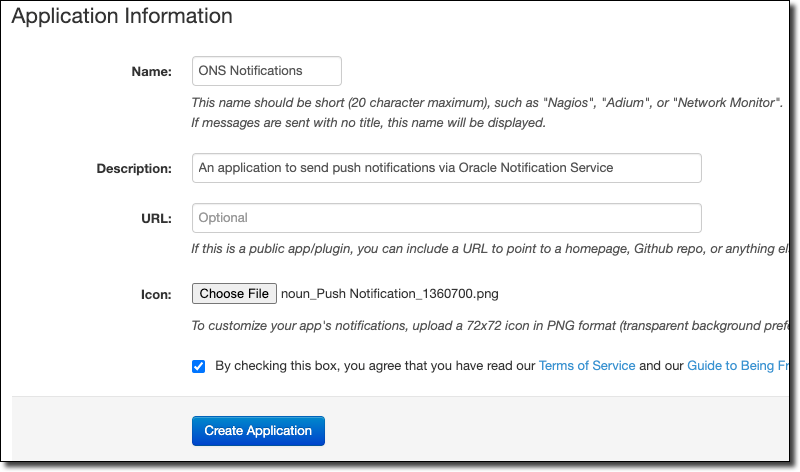
Icon: Push Notification by Federica Sala from the Noun Project
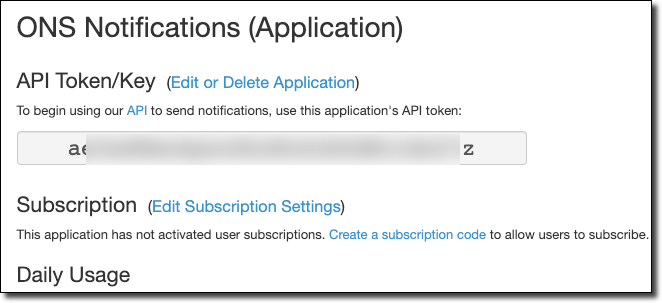
Next, copy the new application’s API key and save it locally.
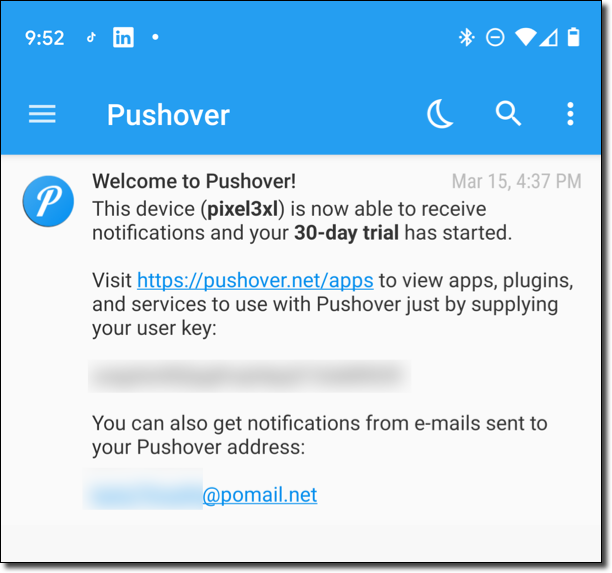
Now you’ll need to download and install the Pushover app on mobile. You can find it in your favorite App Store. When you’ve installed it, you’ll receive a “user key”. Copy this key to your local machine as well.
Create A Serverless Application
Now we’ll create a simple serverless application with Oracle Functions that will handle sending the push notification. Using the fn CLI, create a new application.
Before you get started, it’s a good idea to always make sure you’re running the latest version of the fn CLI. Check what the latest release is on GitHub, then check your version with:
$ fn --versionIf you’re not running the latest, you can update with:
# Linux or MacOS
$ curl -LSs https://raw.githubusercontent.com/fnproject/cli/master/install | sh
#MacOS with Homebrew
$ brew install fn
Or, download and install the latest binary from GitHub.
Create Application
$ fn create app pushover-notification-app --annotation oracle.com/oci/subnetIds='["ocid1.subnet.oc1.phx.aaaaaaaaxi5jl3qf7weahirffrn6ttv2qjnagomwjvm367fcqocfmu6de5qa"]'Create Function
Right. Next, create a serverless function. I’m using Node.JS here for simplicity, but this code easily be a Java or Python app - whatever you’re comfortable with!
$ fn init --runtime node fn-node-pushover-notificationSet Application Config Vars
We need to set our Application and User keys into the serverless config so that we can access them from our function later on.
$ fn config app pushover-notification-app APP_KEY [Your APP Key]
pushover-notification-app updated APP_KEY with [Your APP Key]
$ fn config app pushover-notification-app USER_KEY [Your User Key]

pushover-notification-app updated USER_KEY with [Your User Key]
Populate Function
Before we edit the function, modify package.json to include the dependency on the pushover library.
"dependencies": {
  "@fnproject/fdk": ">=0.0.19",
  "node-pushover": "^1.0.0"
}
Now edit func.js to send the notification.
const fdk = require('@fnproject/fdk');
const Pushover = require('node-pushover');
fdk.handle(async function(input){
  const appKey = process.env.APP_KEY;
  const userKey = process.env.USER_KEY;

  const pushover = new Pushover({ token: appKey, user: userKey });
  return new Promise((resolve, reject) => {
      pushover.send("Push Notification from ONS via Oracle Functions", input, (err, res) => {
        if(err) {
          console.log(err);
          reject(err);
        }
        else {
          console.log(res);
          resolve(res);
        }
      })
  });
})
Deploy the Function
Deploy the function with:
$ fn deploy --app pushover-notification-appTesting the Function
Before we integrate with ONS, let’s test out the function invocation and make sure it sends the notification.
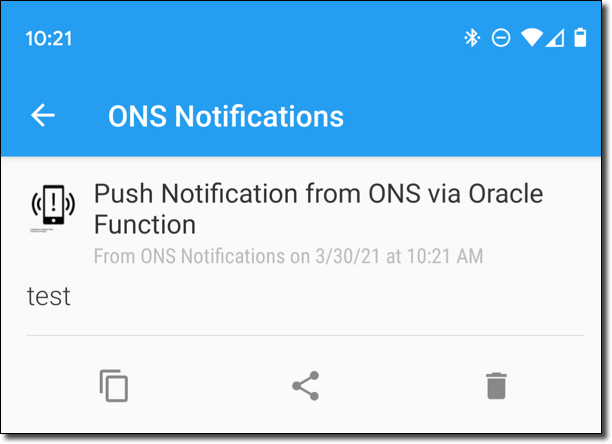
$ echo -n “test” | fn invoke pushover-notification-app fn-node-pushover-notificationAs you can see, I received a push notification on my mobile device.
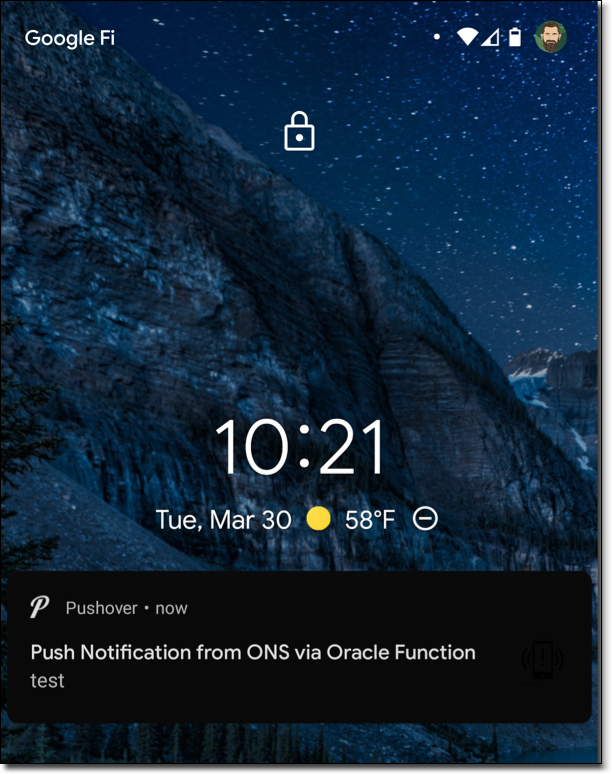
Clicking on the notification takes me to a detailed view.
Heads Up! Pushover has a ton of support for various languages. Checkout the list of libraries available and use the one that matches your favorite language!
Create a Subscription in ONS
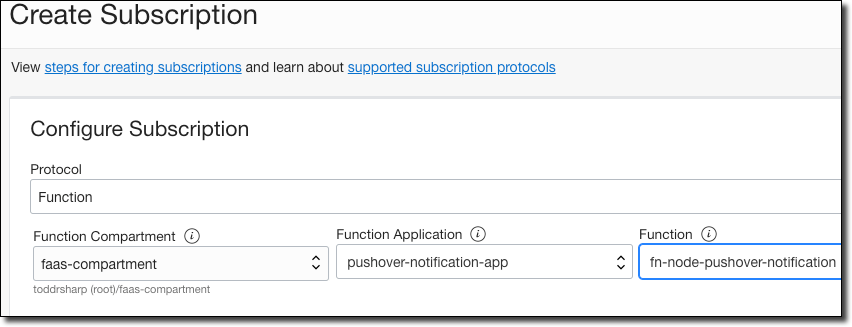
Now it’s just a matter of creating a subscription in ONS that will invoke the function when a message is received.
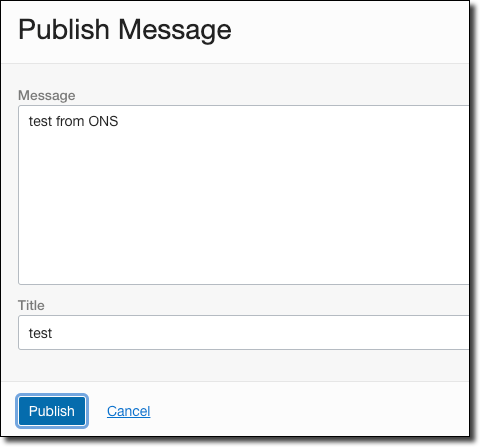
Click on ‘Publish Message’ to test it out.
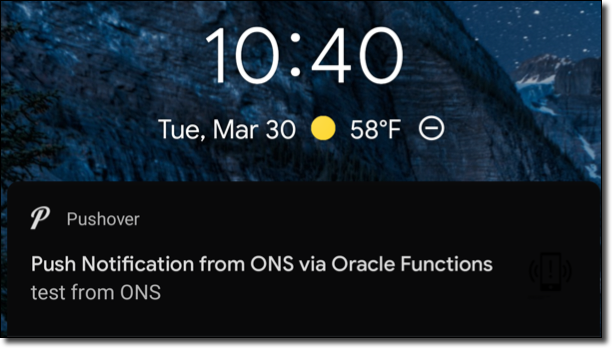
The push notification will be received just as it was when we manually invoked the function!
Summary
In this post, we looked at how to send push notifications from Oracle Notification Service via Oracle Functions with Pushover. If you have any questions or would like to see something else covered here on the developer blog, leave a comment below!
If you’d like to learn more about notifications, check out the following links.
- Overview: https://docs.cloud.oracle.com/en-us/iaas/Content/Notification/Concepts/notificationoverview.htm
- Use cases: https://www.oracle.com/devops/notifications/
- Developers Guide: https://blogs.oracle.com/developers/complete-developers-guide-to-the-oracle-notification-service
- Java Example: https://github.com/oracle/oci-java-sdk/blob/master/bmc-examples/src/main/java/NotificationExample.java
Image by mohamed Hassan from Pixabay